Board Studio for Jira Cloud®

Visualize and Act on Your Work.

From planning to execution, Board Studio gives your teams the clarity and control they need. All inside Jira Cloud®.

Build any board, track dependencies, use nested swimlanes, semantic zoom, and roll-ups. All in real time.

Check Check

Structure Flexibility

Nest swimlanes, group issues, and organize work exactly the way your teams operate.

Check Check

Deep Dependency Visualization

Visualize connections between issues, groups, and workflows – not just within a fixed board view.

Check Check

Custom & Insightful Cards

Display any custom or system field, and roll up metrics to surface key insights instantly.

Check Check

Live Updates & Semantic Zoom

Switch seamlessly from strategic overviews to issue-level detail, with real-time updates from Jira.

Who this is for

You

See the big picture at your level – no title required. See it, contribute efficiently, act to ship.

Delivery Managers & Scrum Masters

Track cross-team blockers and release readiness across sprints – without chasing updates.

Engineering | Business Leaders & CxOs

Get a reliable delivery picture across the organization. Know what’s at risk before the next leadership review.

PMOs & Portfolio Managers

Replace PowerPoint dependency maps and manual status meetings with a live Jira view.

RTEs & SAFe Teams

Run PI Planning sessions with full visibility into features, dependencies, and team capacity across your Agile Release Train.

See it in action

Features at a Glance

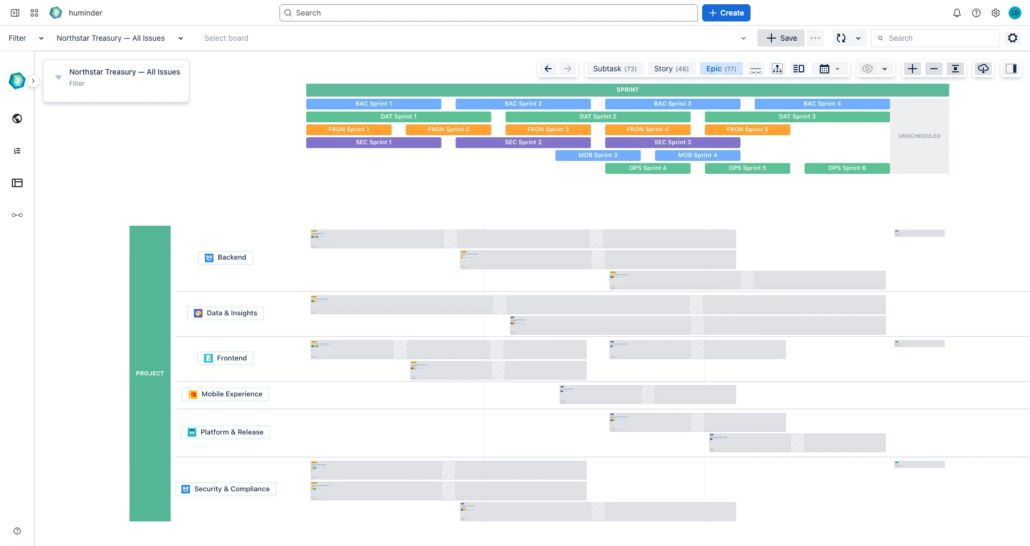
SEMANTIC ZOOM: PORTFOLIO → DETAIL IN ONE BOARD

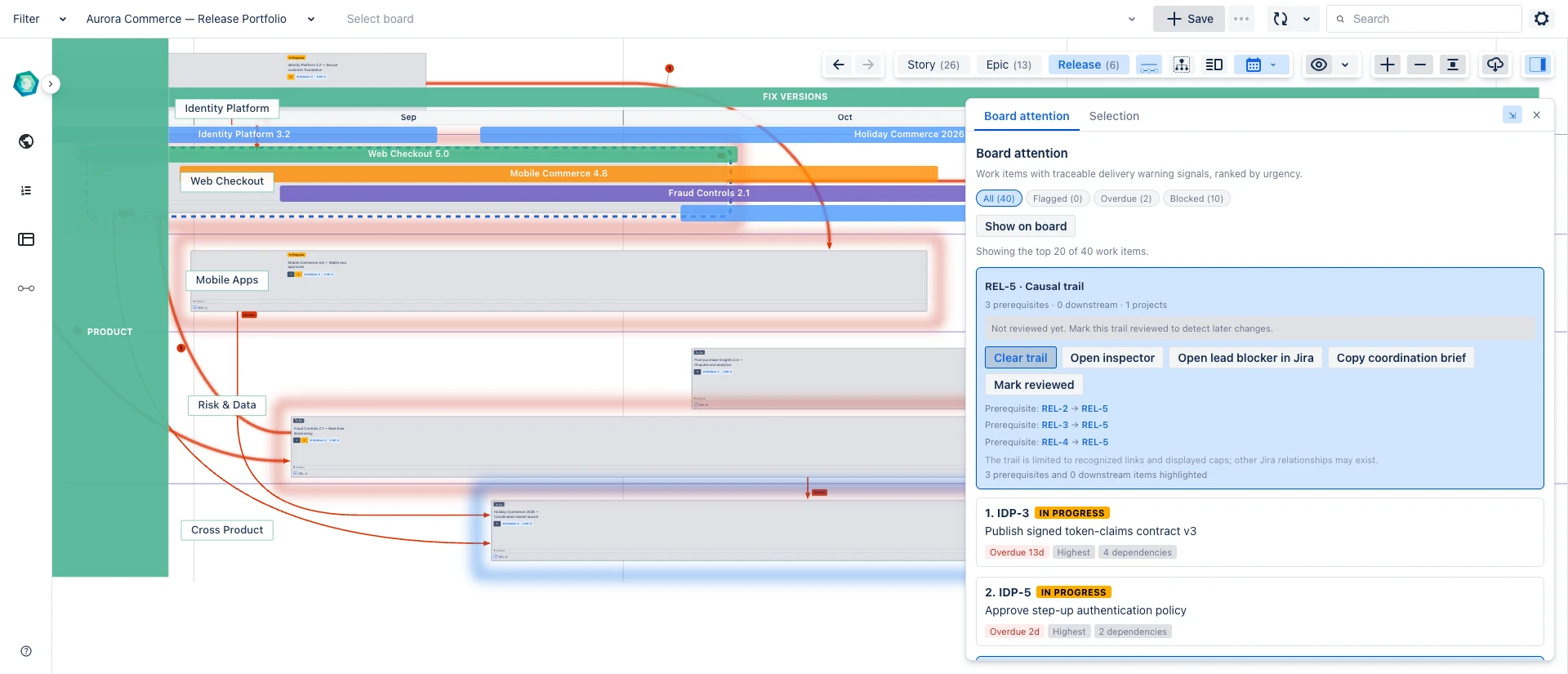
Zoom smoothly from program-level view to card-level detail without switching pages or losing context – ideal for exec overview and team planning.

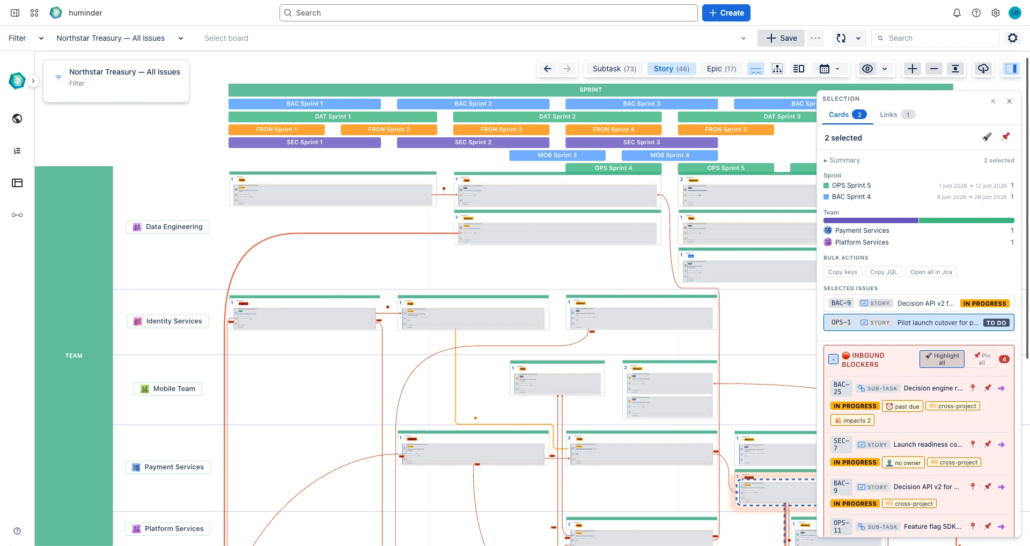
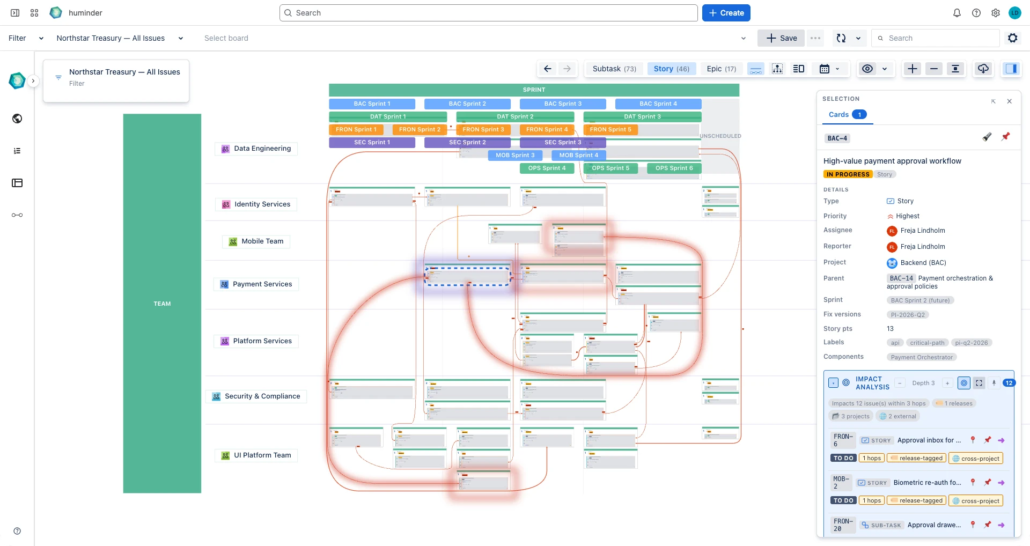
DEPENDENCIES YOU CAN READ (STYLED LINKS)

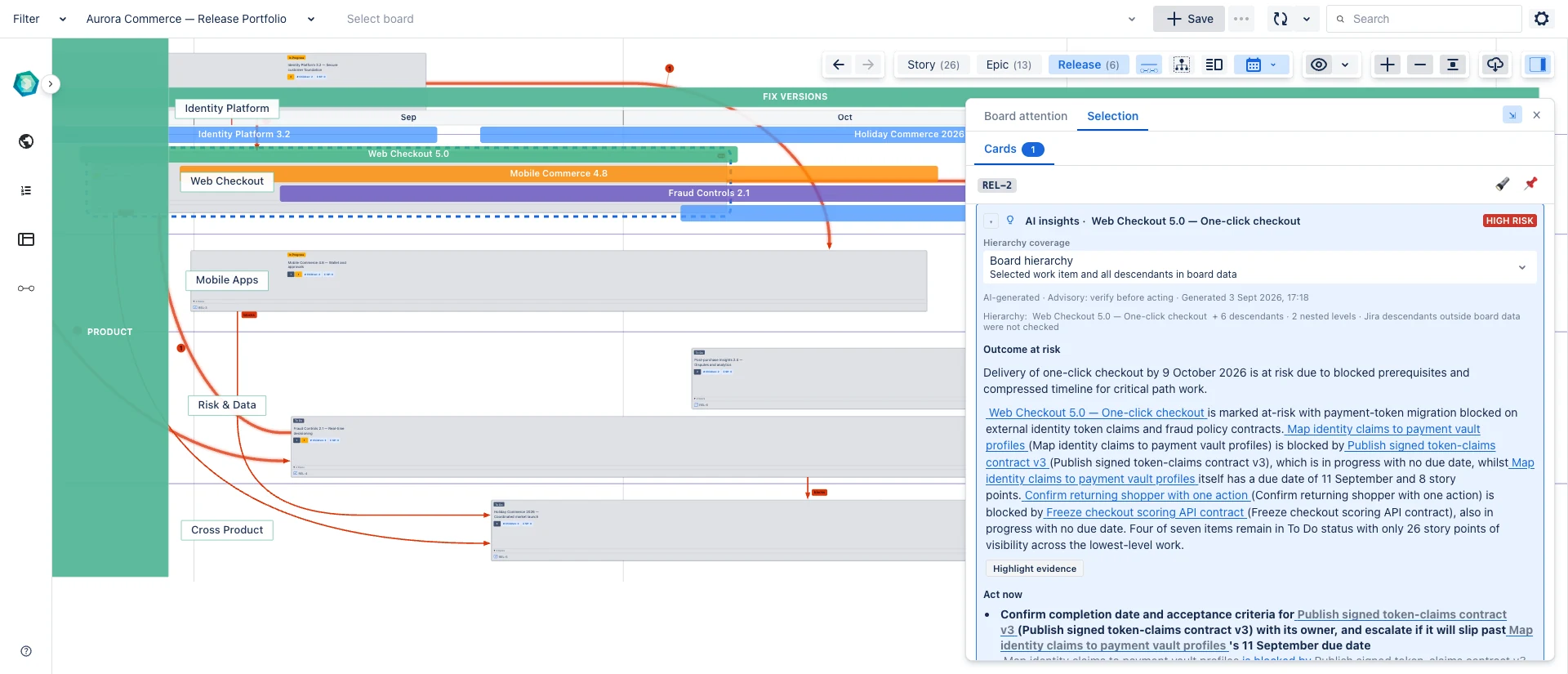
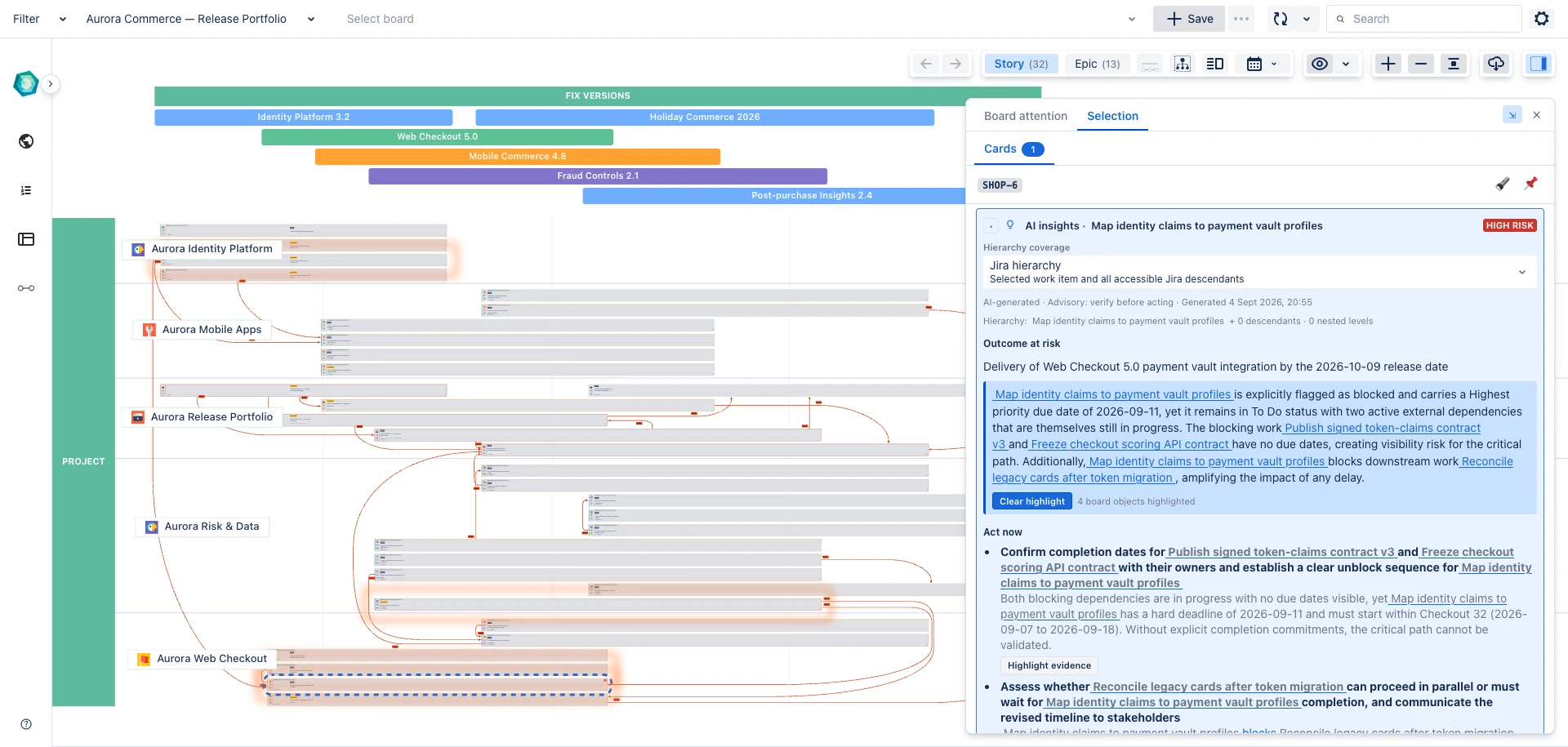
Make link types obvious at a glance with configurable edge color, thickness, and pattern – so critical blockers pop and “nice-to-haves” fade.

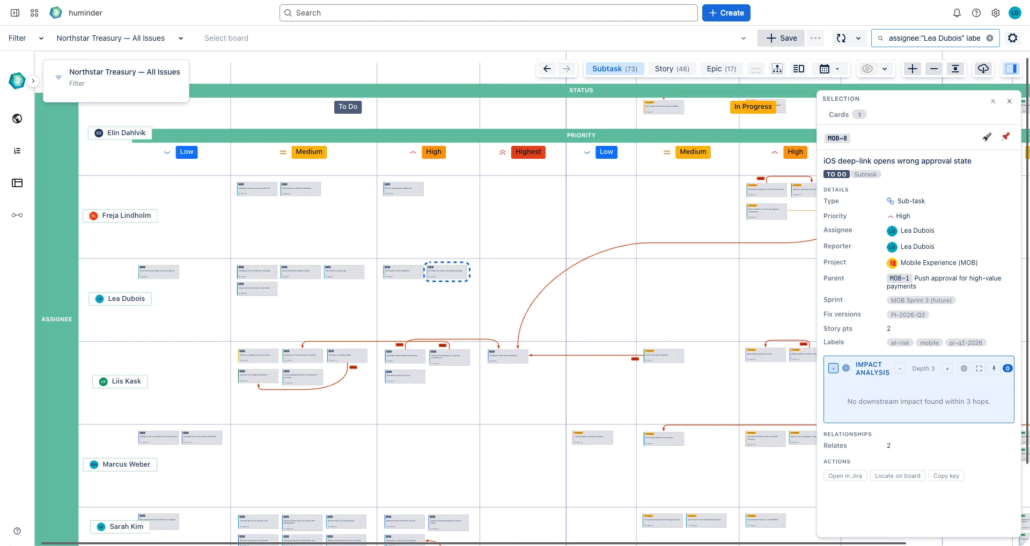
CARDS YOU CONTROL (FIELDS + ROLLUPS)

Choose exactly what appears on each card and roll up key metrics from child issues – so the board reflects how you run the business, not a generic template.

UNLIMITED NESTED SWIMLANES + GROUPING

Build the hierarchy you actually use at each hierarchical level – by any Jira field, at any depth. No forced levels, no “one size fits all.”

SMART SORTING WITH BUSINESS LOGIC

Board Studio detects field semantics and applies sensible asc/desc defaults – reducing manual board maintenance.

CROSS-PROJECT, SHAREABLE VIEWS THAT STAY LIVE

Pull work from any filter/project and share the same board org-wide. Everything stays synced in real time with Jira.

UP AND RUNNING IN MINUTES

Guided exploration walks you through every feature. Restart any time.

ENTERPRISE-READY EXPERIENCE

27 languages, light/dark mode matching Jira, touch/tablet support.

PROFESSIONAL-GRADE GRAPH ENGINE

Built on an industrial-strength layout and routing engine – the same technology used in engineering, network, and supply chain visualization. Edges route cleanly around cards, layouts morph smoothly, and boards stay readable at any scale. No spaghetti. No post-it walls.

How it works

Connect your data

Use any filter (saved JQL query), or space/project as your data source. Pull work items from one project or dozen – Board Studio handles it all.

Build & style your board

Add vertical and horizontal swimlanes, groups, based on any Jira system or custom fields. Nest as many levels as you need. Style, set visibility of dependency lines by link type, and control exactly what appears on your board.

Explore & analyse

Drag and drop dimensions, reorder swimlanes, toggle sort directions with automatic business-logic detection – find the optimal view in seconds. Then zoom, pan, focus work items and links, or collapse groups to navigate boards of any size.

Share and iterate

Share your board configuration organization-wide. Changes sync in real time – your board stays current as your team delivers.

Use Cases

Cross-Team Dependency Management

See how work flows between teams. Identify cross-team blockers with styled dependency links, then open the Inspector to triage any link or card without leaving the board. Reduce wait times and improve delivery predictability.

Dependency visualization → · Inspector for cards & links →

Portfolio & Roadmap Visualization

Get a big-picture view of initiatives across multiple projects. Roll-ups aggregate child metrics – story points, completion %, blockers – directly on epic and initiative cards, so executives see health at a glance without drilling down.

Roll-ups for parent cards → · Semantic zoom →

Sprint & Release Planning

Plan sprints with full visibility into capacity, dependencies, and priorities. The persistent Search bar finds any work item instantly and zooms the canvas to fit – perfect for live planning sessions where you need to surface and discuss specific items in seconds.

Timeline mode → · Search & zoom-to-fit →

SAFe® Program Increment Planning

Visualize features, enablers, and dependencies across Agile Release Trains. Use the Inspector to triage scope during PI Planning, and roll-ups to see ART-level health – story points, status distribution, blockers – without leaving the board view. The big-picture view essential for effective SAFe implementation.

Swimlanes for ARTs → · Roll-ups for PI health →

Trusted by Jira teams

  • Runs on Atlassian

    Your data never leaves Atlassian’s infrastructure

  • CSA STAR registered

    CAIQ self-assessment on Cloud Security Alliance registry

  • GDPR compliant

    EU data protection standards

  • EcoScanner verified

    Atlassian’s automated vulnerability scanning

  • Security Bug Fix SLA

    Committed response times for all severity levels

Your data stays in Atlassian. We don’t store, export, or process your Jira data outside Atlassian’s infrastructure.

How Board Studio compares

CapabilityBoard StudioNative Jira BoardsAdvanced RoadmapsTrello
Build from any Jira field
Yes

No
⚠️
Limited

No
Unlimited swimlanes
Yes
⚠️
Limited

No

No
Advanced dependency visualisation
Yes

No
⚠️
Limited

No
Cross-project views
Yes

Yes

Yes
⚠️
Limited
Nested grouping
Unlimited

No
⚠️
Limited

No
Board sharing
Organization-wide
⚠️
Project-based
⚠️
Plan-based

Yes
Real-time Jira sync
Automatic

Yes
⚠️
Sandbox

Separate tool
Free tier
Up to 10 users

Free plan

Requires Premium

Free plan

Frequently Asked Questions

Board Studio is a flexible board builder app for Jira Cloud that lets you visualize work items and dependencies in a unified view. It offers unlimited swimlanes, real-time sync with Jira, and organization-wide sharing capabilities. Unlike native Jira boards, Board Studio lets you see work across multiple projects and teams in a single view.

Yes, Board Studio is built specifically for Jira Cloud. It integrates seamlessly with your Jira instance and syncs data in real-time. The app is available on the Atlassian Marketplace and installs directly into your Jira Cloud environment.

Yes, Board Studio offers a 30-day free trial through the Atlassian Marketplace. No credit card is required to start your trial. Simply install the app from the Marketplace and begin using all features immediately.

Advanced Roadmaps focuses on timeline-based Gantt planning and requires Jira Premium. Board Studio provides spatial, board-based visualization with dependency lines, unlimited swimlanes, and nested grouping – available on any Jira Cloud plan, including Free and Standard.

Yes, Board Studio includes built-in dependency visualization. You can see blockers, predecessors, and related work items with clear visual lines connecting dependent work items. This works across any any number of field-dimensions you define.

Board Studio supports unlimited nested swimlanes, both horizontal and vertical. You can also nest groupings to create complex hierarchies that match your organization’s structure. Group by any Jira field including team, sprint, epic, component, priority, or custom fields.

Yes, you can configure boards once and share them organization-wide. Distribute templates and configurations to teams, groups, or individuals while maintaining a single source of truth. This ensures everyone sees the same view and uses consistent board configurations.

Yes, Board Studio is ideal for SAFe (Scaled Agile Framework) implementations. It’s perfect for PI Planning sessions where you need to visualize features, enablers, and dependencies across Agile Release Trains. The unlimited swimlanes and dependency visualization make it easy to manage complex SAFe program increments.

Board Studio is fully localized in 27 languages, making it suitable for worldwide teams. The interface automatically adapts to your Jira language settings, ensuring a native experience for all users regardless of location.

No. Board Studio is built on Atlassian technology and runs entirely within Atlassian’s infrastructure. Your Jira data is never transmitted to or stored on external servers.

Ready to see how your work connects?

Install in under a minute. Build your first board in under five. Free for up to 10 users – larger teams get a 30-day trial.