
Solutions to common problems with Board Studio.
Loading Problems
Board shows “Loading…” indefinitely
Causes: Network connectivity problems, Jira API unavailable, large dataset timing out.
Solutions:
- Check your internet connection
- Refresh the page
- Try a narrower saved Jira filter to reduce the work being loaded. See Data Sources for source selection in the header.
- Check Jira status at status.atlassian.com
Blank board with no cards
First check whether the board is waiting for you to choose a source. The welcome screen below is a normal starting state, not a loading failure. Select a Space or Filter in the header before expecting cards to appear.
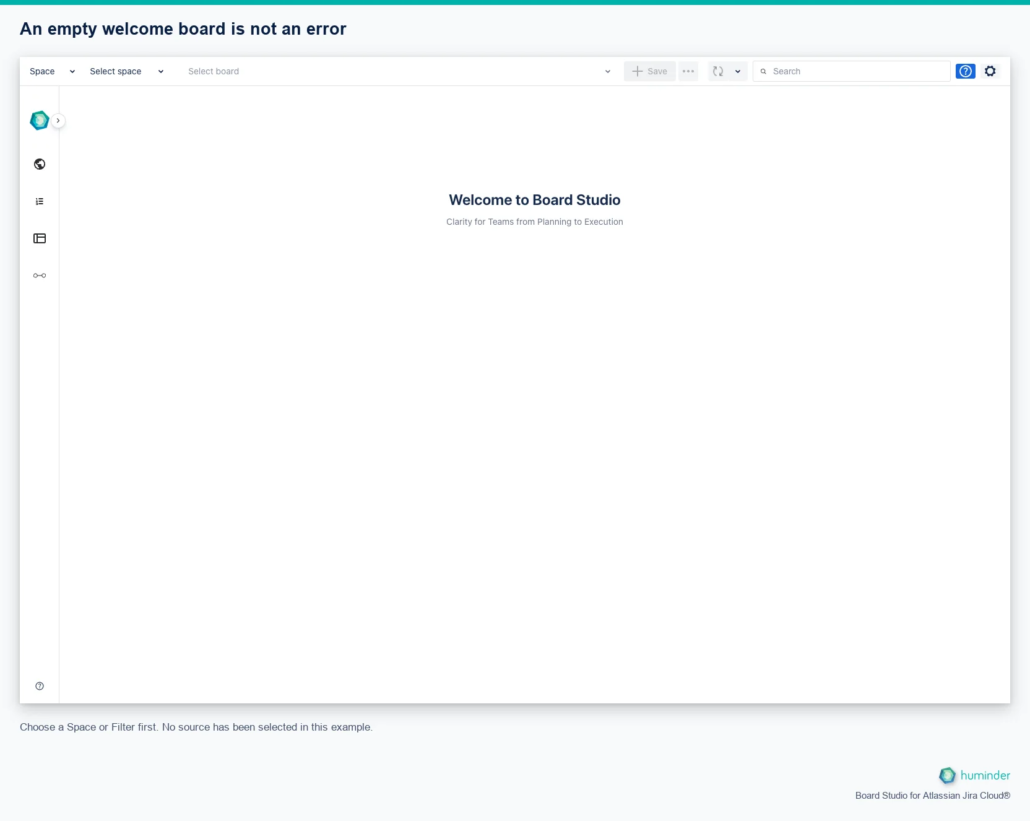
Choose a Space or Filter first. No source has been selected in this example.
If you have already selected a source, check the loading or error message and open the same source in Jira with the same account. A filter with no accessible matches and a failed request need different fixes; the empty canvas alone cannot tell you which happened.
Causes: No data source selected, filter returns zero accessible work items, or a source request failed.
Solutions:
- Select a data source (space or filter)
- Wait for the automatic initial load; use Update to retry a failed or stale read
- Verify the filter has matching work items in Jira
Search returns unexpected results
Search works on loaded work, not every item in Jira. Check the selected hierarchy level and whether the search includes child issues or only the current level. Changing levels clears the query. Use supported field names and quote multi-word values. The results list shows at most 50 items. See Search for syntax and matching limits.
A shared configuration is missing or shows no work
Ask its owner to confirm your account or group is listed in Share and that they clicked Apply. A saved copy does not inherit recipients. Access to a configuration does not grant access to the underlying Jira filter or work items; ask the source owner to check those permissions separately.
An absent sharing notification does not mean sharing failed. Direct-user alerts are best-effort hints for open sessions, not a persistent inbox. Group sharing does not notify every member. Check Shared with me and source access directly.
Jira changes have not appeared
In the app header, open the dropdown arrow beside Update to find Update options → Auto Update. Automatic refresh responds to change events and performs periodic recovery; it is not fixed 30-second polling or guaranteed instant delivery. Hidden tabs defer work. Return to the tab and use Update for an explicit fresh Jira read. If it fails, check connectivity and Jira access rather than treating the visible board as current. See Auto Update and Global App Interface to locate the controls.
AI analysis has fewer sections or no findings
Reports include only supported sections and findings. Read Evidence limits, omitted-claim notices and the source scope before retrying. No findings is not an assurance that work is risk-free. Green evidence highlights identify support for a finding, not successful delivery. See Board insights.
A click opens help instead of activating a control
The blue Help button activates help selection. In this mode, clicking a highlighted region opens a Spotlight instead of running its action. Press Escape or click an empty area to exit selection. Close an open Spotlight with its close button or Got it.
A toolbar control is disabled or unavailable
Some actions require a loaded source, a selected card, a supported semantic level or a configured timeline. Check the tooltip or activate Help and select the control’s region. See Global app interface.
Getting Help
Contact support at [email protected] with:
- Description of the problem
- Steps to reproduce
- Browser and version
- Screenshots if helpful