
Last updated: April 2026
Share your board with anyone — as a pixel-perfect, high-resolution PNG image.
Overview
Board Studio lets you export your entire board as a high-resolution PNG image suitable for presentations, documentation, printing, and sharing with stakeholders who don’t have Jira access.
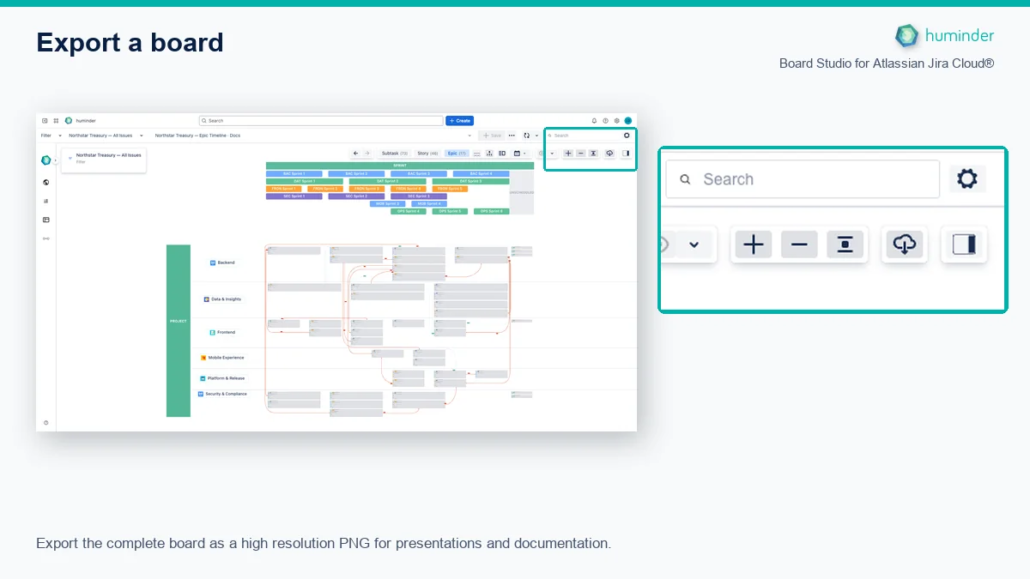
Export the complete board as a high resolution PNG for presentations and documentation.
What Gets Exported
The exported image captures everything visible on your board — exactly as displayed:
| Element | Included |
|---|---|
| Cards with all configured fields | ✓ |
| Project, creator, and assignee avatars | ✓ |
| Dependency edges with line styles and arrows | ✓ |
| Swimlane headers and labels (rows & columns) | ✓ |
| Group headers | ✓ |
| Rollup metric chips | ✓ |
| Status badges and field icons | ✓ |
| Dark mode / light mode styling | ✓ |
Note: The export captures the board in its current state — including any active Focus Mode, filters, or semantic zoom level. What you see is what you export.
How to Export
- Configure your board to show exactly what you want to share.
- Click the Export button in the board toolbar.
- The PNG image is generated and downloaded automatically.
That’s it — no dialogs, no options to configure. The export uses optimal settings by default.
Export Quality
Board Studio exports at retina quality (2× scale) to ensure crisp rendering on all displays:
| Specification | Detail |
|---|---|
| Format | PNG (lossless) |
| Scale | 2× (retina) |
| Resolution | Suitable for printing and large-screen display |
| Text clarity | Sharp at any zoom level — no blurry labels |
| Color accuracy | Matches on-screen rendering exactly |
Tip: The 2× retina scale means your export looks sharp even when projected on large conference room screens or printed on A0 posters.
Technical Details
Board Studio handles several technical challenges to produce correct exports:
| Challenge | How Board Studio Solves It |
|---|---|
| Bounds calculation | Precisely computes export bounds including all headers, decorators, and edge endpoints — no clipped content |
| Jira icon resolution | Converts authenticated Jira icon URLs to embedded blob data so avatars and icons render correctly in the exported image |
| Viewport preservation | Export does not alter your current zoom or pan position — the board remains exactly where you left it after export |
| Edge rendering | Dependency lines, arrows, and custom styles (dash, dot, thickness, color) are all captured faithfully |
Use Cases
Presentations and Slide Decks
Drop the exported PNG directly into PowerPoint, Keynote, or Google Slides. The retina resolution ensures text remains readable even when the image fills a full slide.
Confluence Documentation
Attach the exported image to Confluence pages for project documentation, sprint reviews, or architecture diagrams.
Stakeholder Sharing
Share the PNG via email or messaging with stakeholders who don’t have Jira access. They see the full board context without needing a login.
War Room Printing
Print large-format boards for physical war rooms or planning sessions. The high-resolution export supports printing up to poster size without quality loss.
Tips
- Use Focus Mode before exporting to export only a specific epic or initiative and its children — rather than the entire board.
- Adjust semantic zoom before exporting to control the level of detail: zoomed-in for detailed cards, zoomed-out for a compact overview.
- Apply filters before exporting to include only the issues relevant to your audience.